
Sliders and carousels occupy an interesting spot in web design. We’re often advised against using them because of performance and accessibility concerns. Plus, they may force users to wait for important information. Yet, their popularity hasn’t waned. Why?
Perhaps it’s because these features are still incredibly convenient. Smart usage creates a pleasing aesthetic and can save space. And better coding practices lessen those previous concerns. This doesn’t mean a slider or carousel is always appropriate. However, there are still plenty of use cases when they make sense.
Even better, there are so many options, particularly for WordPress websites. You’ll find plugins that offer everything from basic image movement to full-on dynamic content presentations. Odds are, there’s a slider or carousel plugin that will match your needs.
With that in mind, we’ve rounded up a collection of the best free responsive slider and carousel plugins for WordPress. Let’s go!
GS Logo Slider
Displaying a collection of logos is a common need. We use them for our portfolios or to spotlight sponsors. GS Logo Slider was designed specifically for this niche, giving you a quick way to create a logo presentation.
You’ll find multiple layout options, drag-and-drop ordering, tooltips, hover controls, and the ability to display images in grayscale. You can display your slider via a custom shortcode or by using the included Gutenberg block.

MetaSlider Plugin
MetaSlider offers a simple workflow for creating responsive slideshows. Drag your images onto the canvas and set captions, links, and SEO data. There are also settings to help you optimize sliders for mobile devices. Also included are multiple themes, transition/animation effects, and accessibility options.

Smart Slider 3
Create stunning sliders in no time with Smart Slider 3’s slide library feature. The plugin offers premade slides ready for your custom content. The included slider templates will also come in handy for integrating popular styles with minimal effort.
Want to showcase your content? There’s also a dynamic slide feature that will fetch your site’s latest posts. It’s a good choice for those who want great looks without the extra work.

WP Google Review Slider
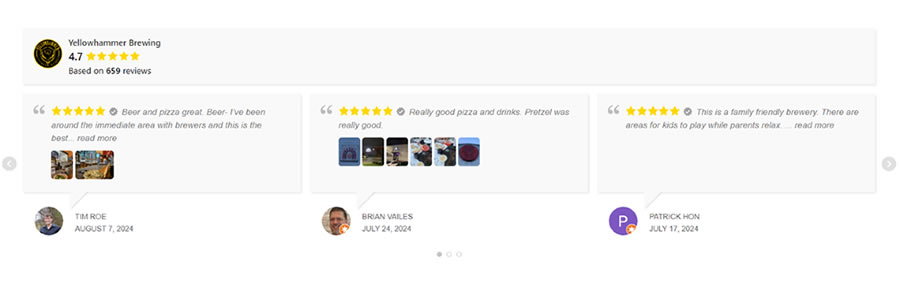
There’s a lot to like about fetching reviews from third-party websites like Google. New reviews are added automatically, and there’s no manual labor involved. WP Google Review Slider will download your company’s reviews and serve them locally – great for performance.
The plugin integrates with the Google Places API to grab new reviews daily. There’s also an option to display reviews in a static grid format – no slider necessary.
Carousel Slider Block
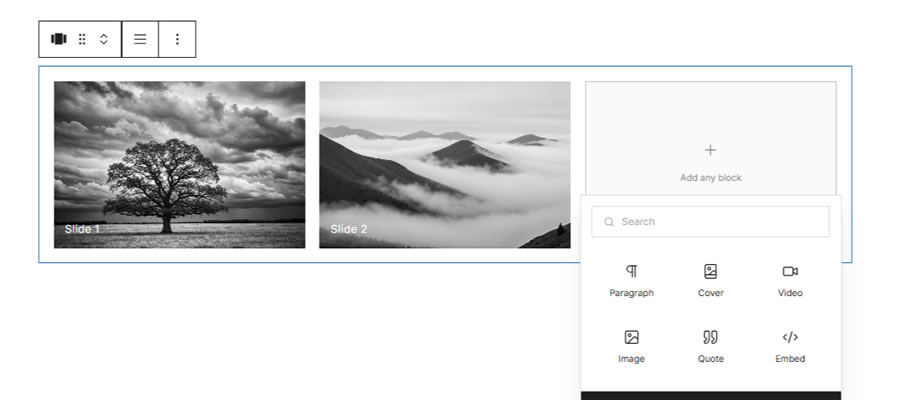
The beauty of Carousel Slider Block is that it’s a block-first solution. It supports all Gutenberg blocks, meaning you can add any type of content imaginable into a carousel.
This design also means you can preview your creations directly in the Block Editor. You’ll also find plenty of controls to personalize your presentation.
Accessible Carousel
Accessibility shouldn’t be an afterthought when building a slider or carousel. Accessible Carousel outputs keyboard-navigable and screen reader-friendly presentations. It also features a graceful fallback when JavaScript isn’t enabled.
The plugin includes a hero carousel, card scroller, and premade block patterns. You can also turn off autoplay to put users in control.

Depicter
Depicter helps you build interactive sliders and beyond. The included template library will get your project off to a fast start, while an array of visual effects will grab user attention. You also get tools to build carousels, notification bars, and popups. The plugin is a jack-of-all-trades for interactivity.

Super Block Slider
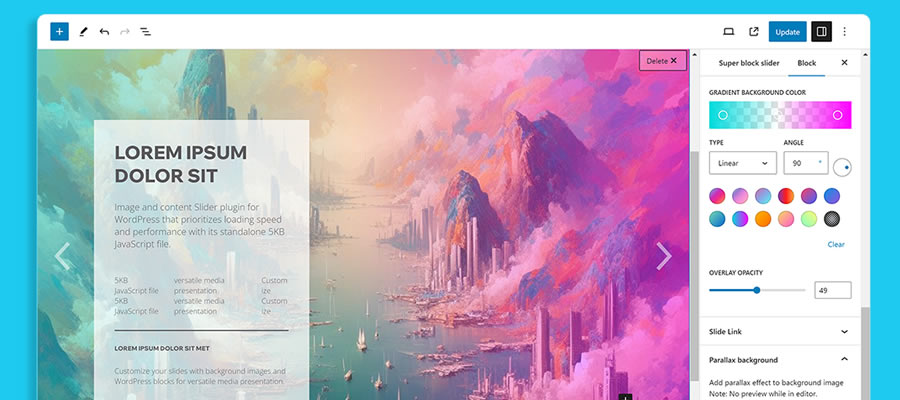
Here’s a plugin that lets you create compelling sliders without weighing you down. Super Block Slider uses a 5KB JavaScript file to power your slideshows – great for even slow connections. Sliders are responsive and allow you to set different backgrounds for mobile devices.
There are also settings for custom overlays, parallax effects, animations, and navigation styles.
Woo Product Slider
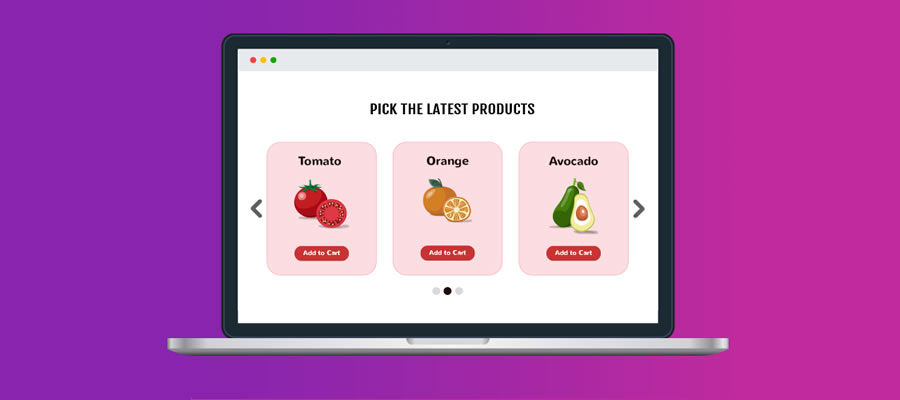
Slideshows can be a great way to show off your WooCommerce products. Woo Product Slider offers a quick setup via templates and the ability to display new and featured products. No worries if your store has hidden products, as you can choose to add them to your slider.
There are also options for displaying product details and an add-to-cart button.
Product Gallery Slider for WooCommerce
Sticking with e-commerce, Product Gallery Slider for WooCommerce adds interactivity to your product pages. It improves on the standard Woo product gallery with a responsive slider that can handle all your product images.
It’s perfect for displaying product variations, such as colors or styles. Other features include a lightbox, caption, and image zoom toggles.

WordPress Slider Plugins at a Glance
| Plugin | Description | Primary Use |
|---|---|---|
| GS Logo Slider | Creates responsive logo presentations with multiple layouts, drag-and-drop ordering, tooltips, hover controls, and grayscale images. | Logo and sponsor sliders. |
| MetaSlider Plugin | Creates responsive image slideshows with captions, links, SEO data, themes, transition effects, and accessibility options. | Responsive image slideshows. |
| Smart Slider 3 | Provides premade slides and templates along with dynamic slides that can automatically display your site’s latest posts. | Content and image sliders. |
| WP Google Review Slider | Downloads Google reviews for local display, automatically fetches new reviews, and includes a static grid option. | Google review sliders. |
| Carousel Slider Block | Creates carousels using Gutenberg blocks, allowing virtually any type of content to be added and previewed in the Block Editor. | Block-based content carousels. |
| Accessible Carousel | Creates keyboard-navigable and screen reader-friendly carousels with hero, card scroller, block pattern, and autoplay options. | Accessible sliders and carousels. |
| Depicter | Builds interactive sliders and carousels using templates and visual effects, with additional tools for notification bars and popups. | Interactive sliders and carousels. |
| Super Block Slider | Creates lightweight responsive sliders with mobile backgrounds, overlays, parallax effects, animations, and customizable navigation. | Lightweight responsive sliders. |
| Woo Product Slider | Displays WooCommerce products in sliders with templates, new and featured product options, product details, and add-to-cart buttons. | WooCommerce product sliders. |
| Product Gallery Slider for WooCommerce | Replaces the standard WooCommerce product gallery with a responsive slider featuring lightbox, captions, and image zoom controls. | WooCommerce product galleries. |
Slide On In
This collection of free responsive WordPress slider plugins covers just about every use case. Whether you’re looking to showcase your site’s content, social media uploads, or enhance your e-commerce shop, you’ll find a tool that can help you achieve your goals.
The post 10 Best Free Responsive Slider & Carousel WordPress Plugins appeared first on Speckyboy Design Magazine.