
This article is a sponsored by Kirki
For years, WordPress users have relied on traditional page builders to create websites without writing code. While these builders made web design more accessible, many still come with familiar compromises — rigid layouts, reliance on multiple third-party plugins, bloated code, and performance trade-offs that can slow down your site.
Kirki takes a different approach. Instead of building on the conventions of older page builders, it reimagines the website creation experience with a freeform infinite canvas, an integrated CMS, and a comprehensive set of built-in features. The result is a streamlined workflow that gives you greater creative freedom while producing cleaner, faster websites.
Whether you’re a designer seeking pixel-perfect control, a developer looking for cleaner output, or a business owner who simply wants to build a professional website without unnecessary complexity, Kirki aims to remove many of the limitations that have long been associated with WordPress page builders.
In this review, we’ll compare Kirki with traditional WordPress builders across the factors that matter most when choosing a website builder, including:
- Pricing and overall value,
- Impact on website performance,
- Ease of use versus design flexibility,
- Built-in features and functionality,
- Theme compatibility and layout customization.
By the end, you’ll have a clear understanding of where Kirki stands and whether it’s the right choice for your next WordPress project.
A Closer Looks At Kirki
Kirki is a no-code visual website builder for WordPress, designed to bridge the gap where other page builders fall short.
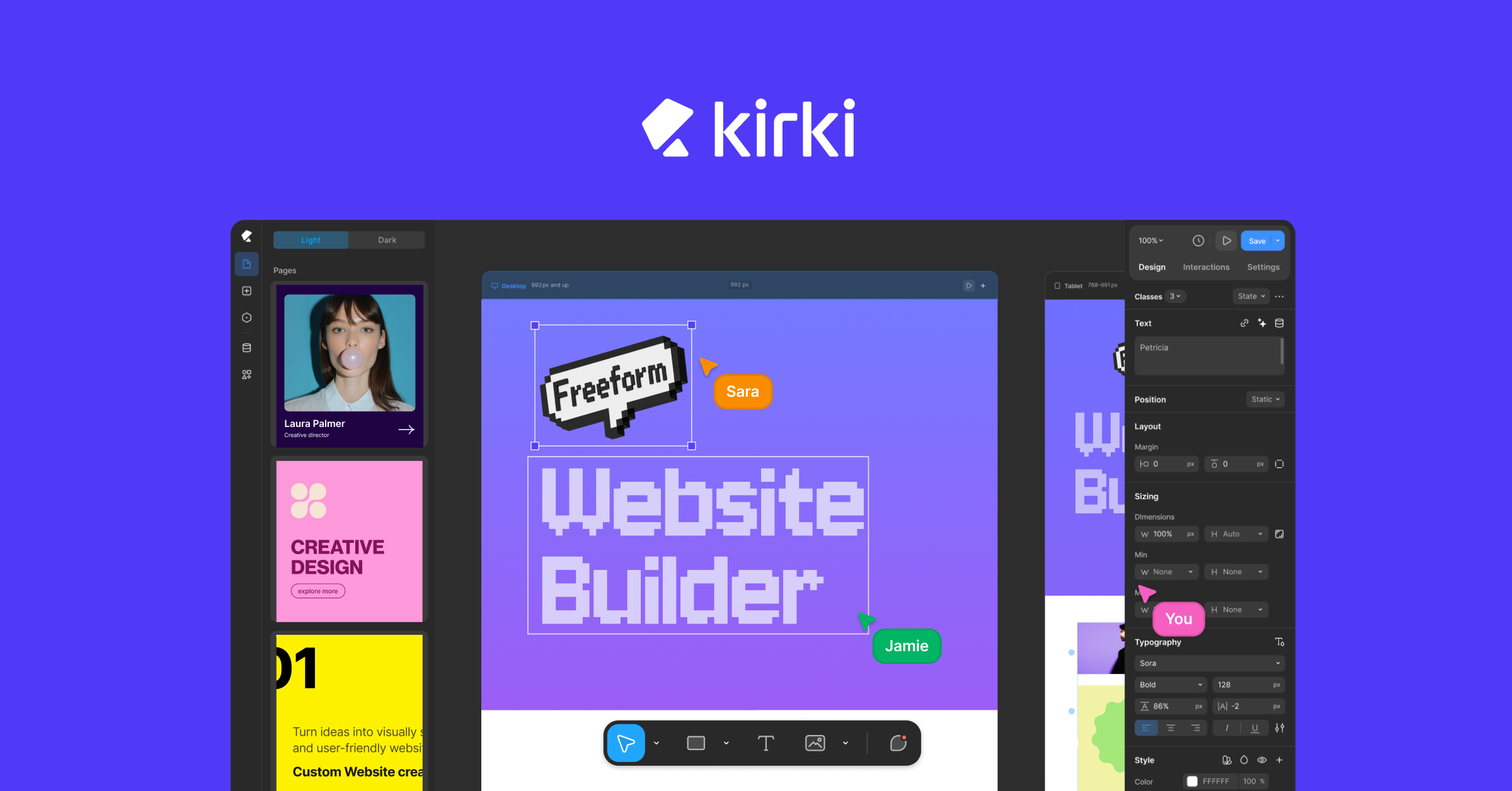
Unlike other page builders, Kirki is an all-in-one solution that aims to provide everything you need to build websites without any third-party dependencies, shifting from the norm in WordPress!
And the best part? It’s all included in your subscription, so you won’t be hit with surprise upgrades.
The Most Feature-Packed Free WordPress Builder
Before anything else, Kirki has a free version, and it’s genuinely powerful.
You can download Kirki for free directly from WordPress.org and start building right away. The free version is not a watered-down teaser. It’s a heavily feature-packed builder that lets you design modern websites on an infinite canvas without spending a cent.
Scale Without Limits With the Pro Plan
For those who want to unlock the full Kirki experience, the Pro plans are surprisingly affordable for the value they deliver.
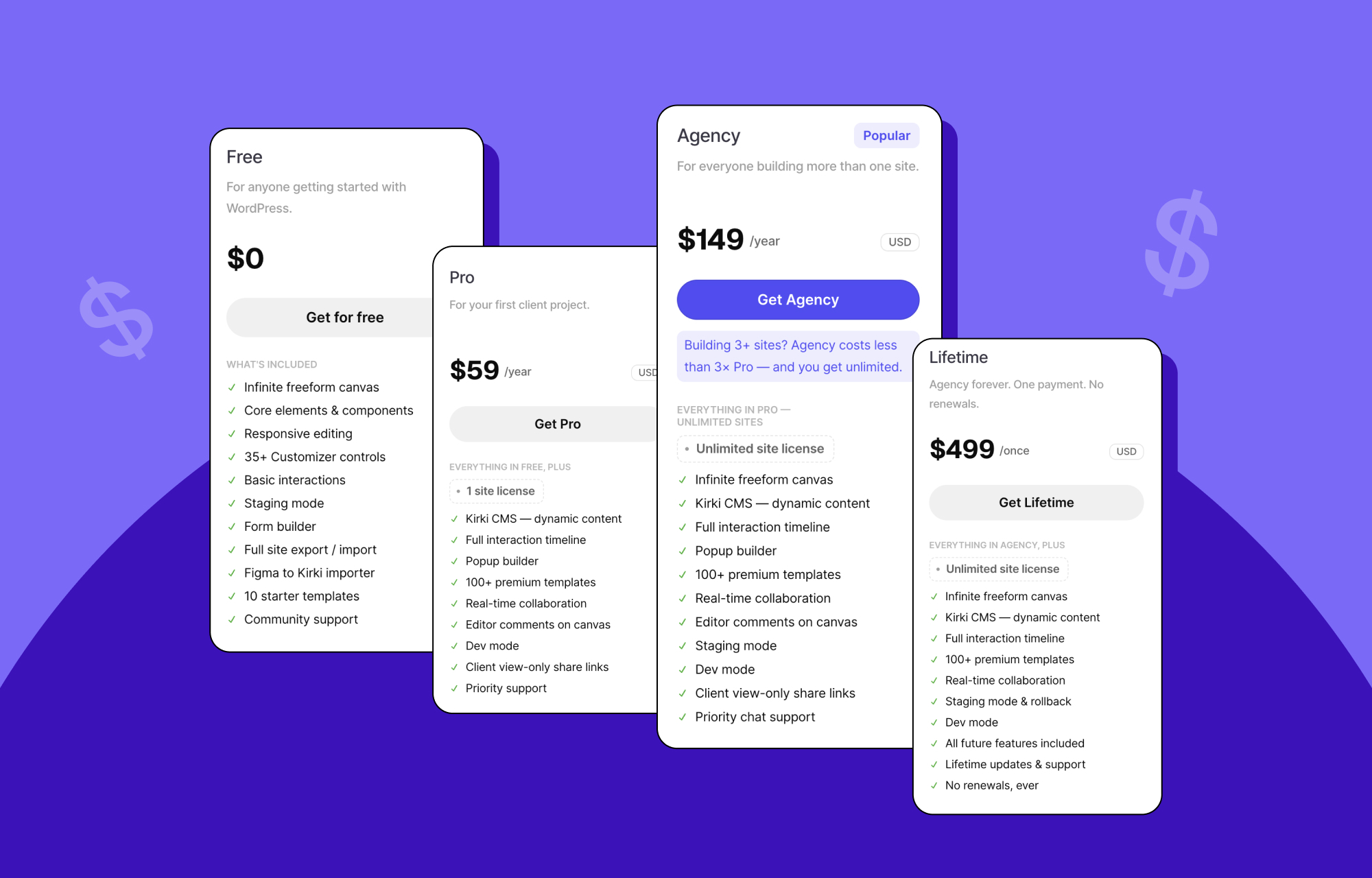
The Starter plan is just $59/year for one site and includes all premium features. Compare that with Elementor Pro’s Essential plan, which starts at $60/year and still keeps several essentials behind paywalls. With Kirki, what you see is what you get, everything included from day one.
Kirki also offers a Lifetime plan for a one-time payment of $499, giving you unlimited use forever. No renewals, no upcharges, no surprises.
While most page builders upsell critical features or require multiple add-ons to function properly, Kirki keeps it simple. One platform, all features, no hidden costs. Dynamic content, pop-up builder, form builder, submission manager, the entire growing template library — all included from the start across every plan.
Explore Kirki pricing.
Website Performance Comparison
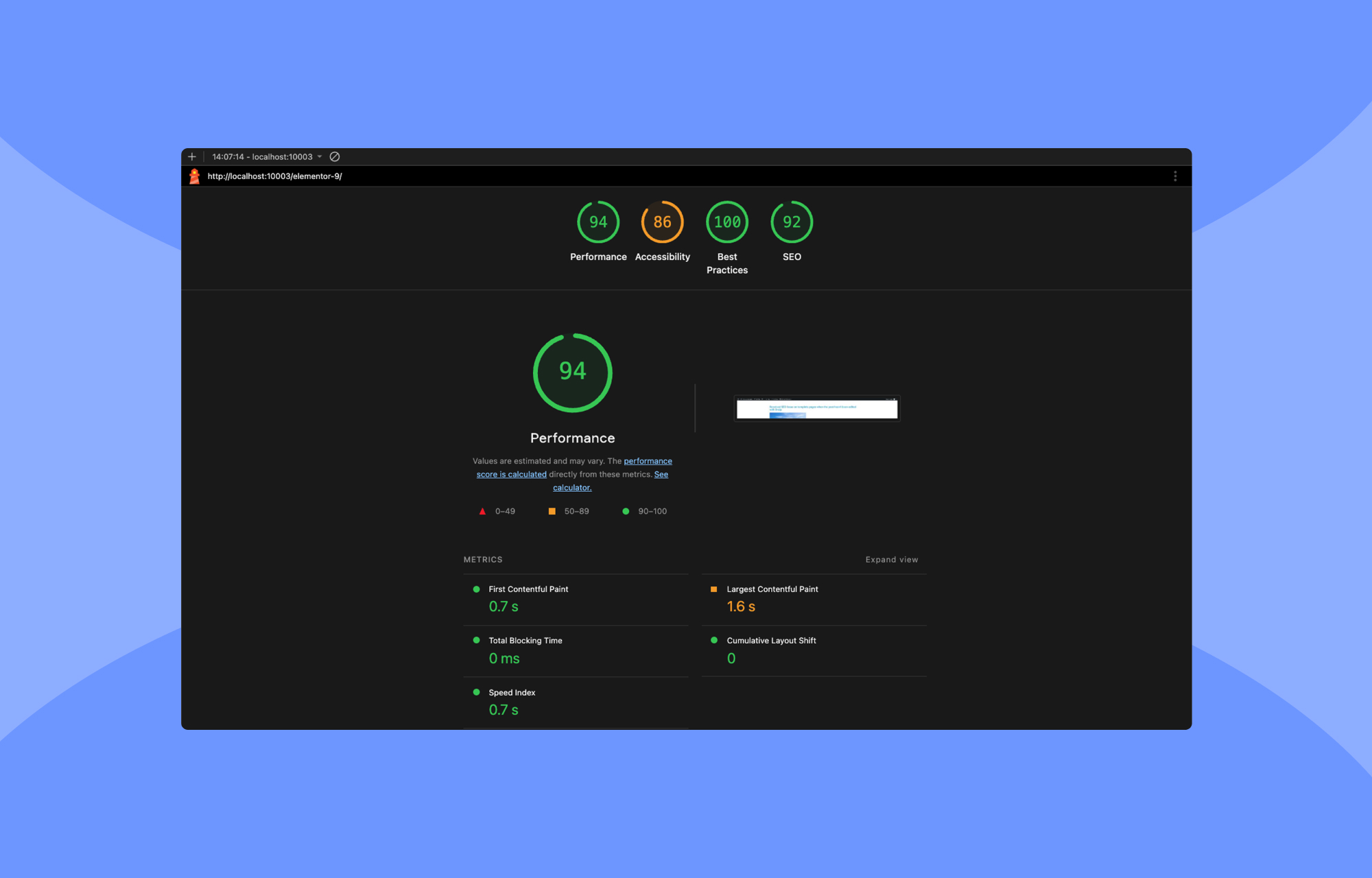
Performance directly impacts user experience, SEO, and conversion rates. So, to get a clear picture of how different page builders impact performance, we put Kirki and Elementor to the test under identical conditions to see how each builder stacks up.
We installed both on a clean WordPress setup using the default Twenty Twenty-Five theme to ensure a fair comparison. Then, we created identical layouts using comparable design elements and ran Lighthouse performance audits to measure load time, responsiveness, and Core Web Vitals.
Test Conditions:
- Clean WordPress installation,
- Same theme: Twenty Twenty-Five,
- Same layout structure and design elements,
- Lighthouse is used for performance scoring.
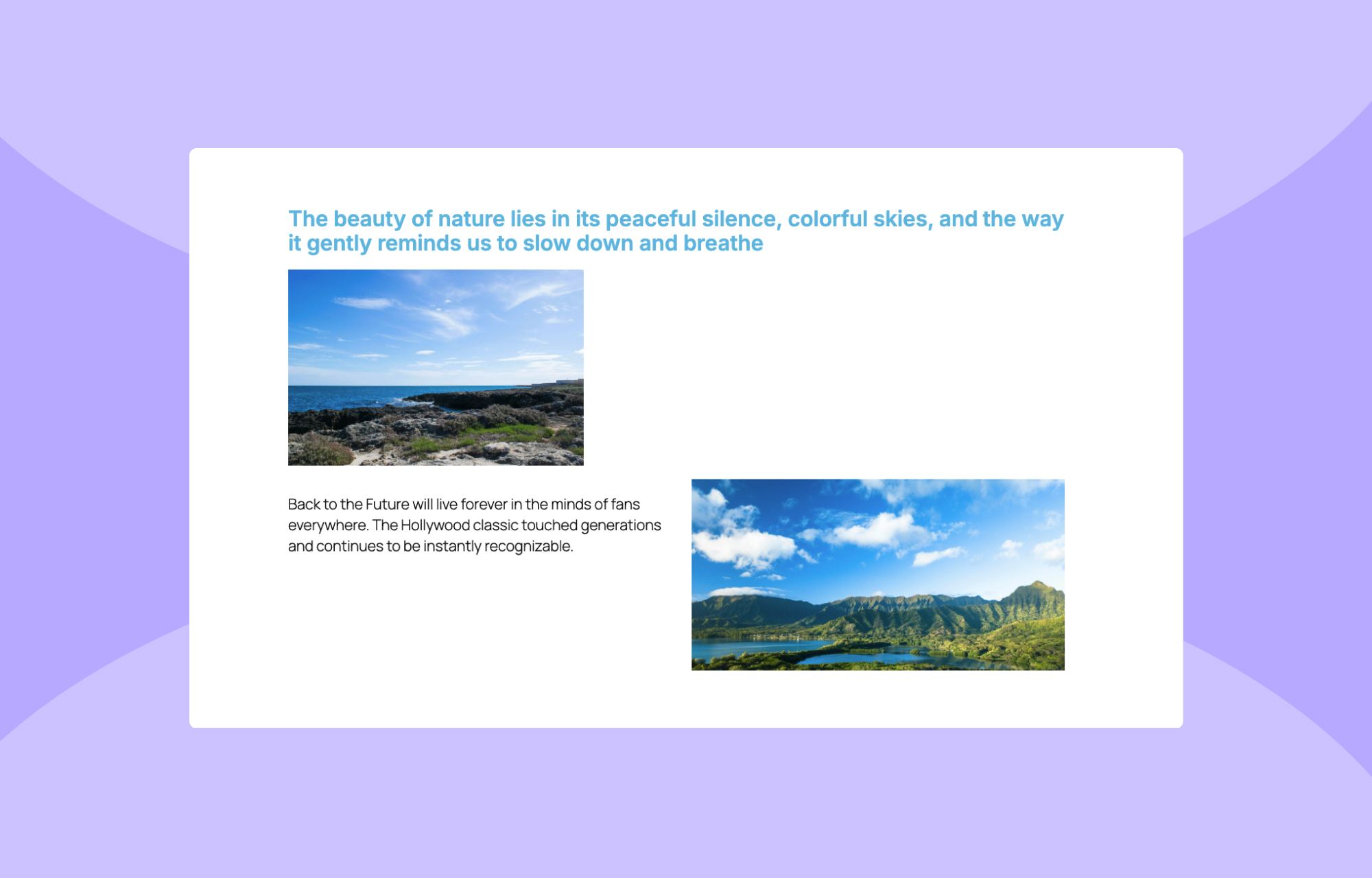
Sample Layout:
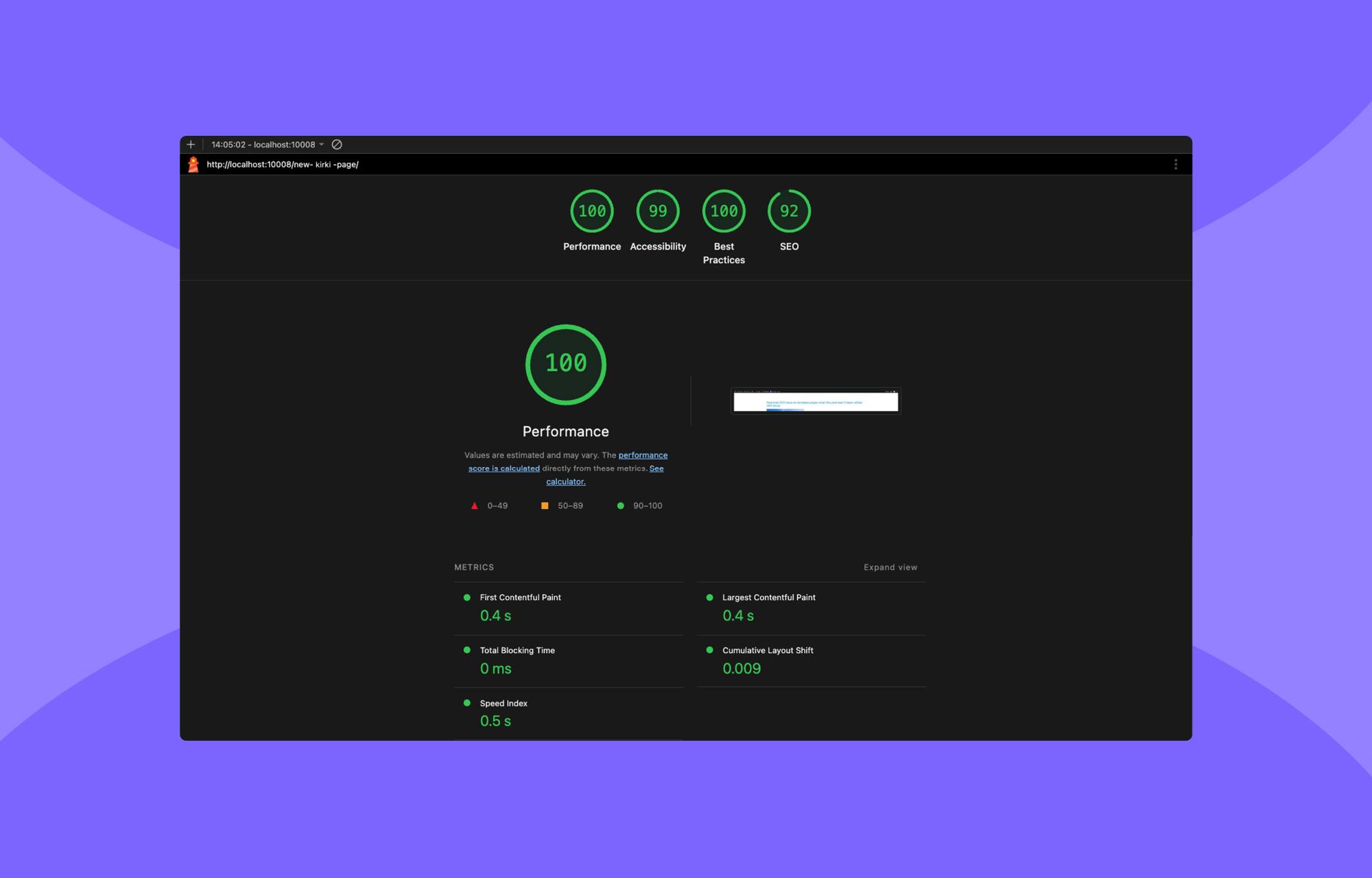
Kirki’s Performance:
Elementor’s Performance:
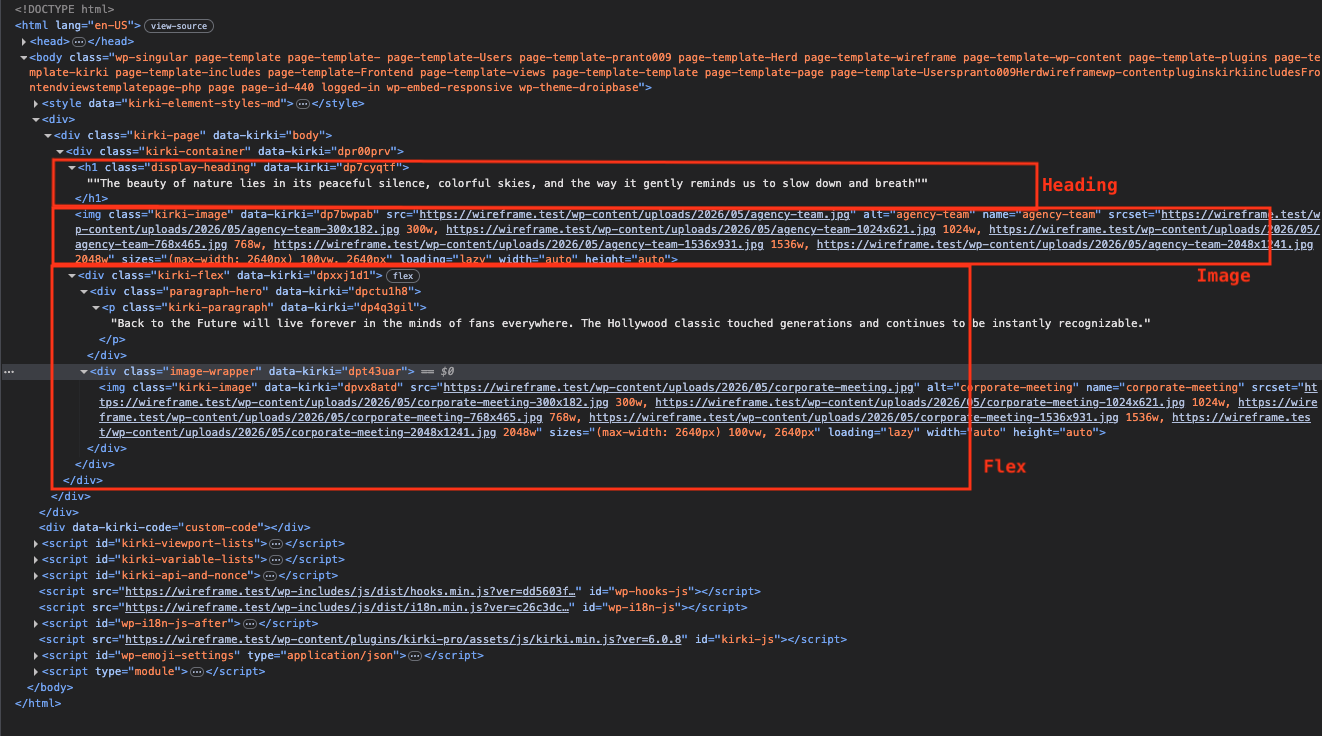
Kirki’s Code Output:
Elementor’s Code Output:
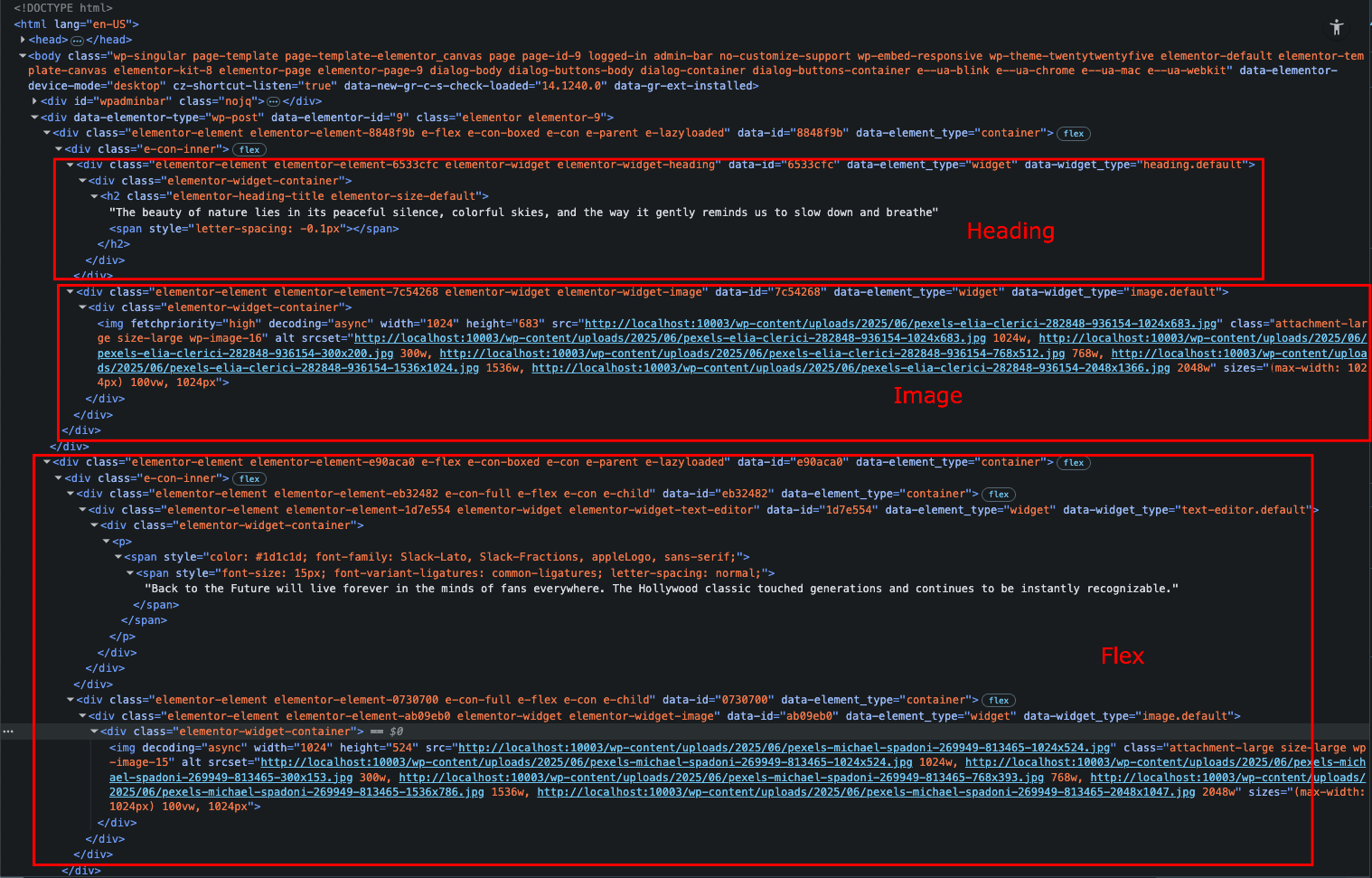
The difference was immediately clear. Kirki generated a much cleaner DOM with significantly fewer <div>s and no unnecessary wrappers, resulting in faster load times and higher scores across all boards.
Elementor, on the other hand, added heavily nested markup and extra scripts, even on this simple layout, which dragged down its performance.
If clean code, fast loading, and technical efficiency are priorities for you, Kirki clearly comes out ahead.
Exploring The Features
Now that we’ve seen how Kirki outperforms the competition and does so at a highly competitive price, let’s dive into the features to see what makes it such a powerful all-in-one builder.
Freeform Infinite Canvas For True Design Freedom
What makes Kirki different from the existing page builders is its infinite canvas.
With Kirki, you finally get the layout flexibility modern design demands, and no longer need to place elements into rigid structures.
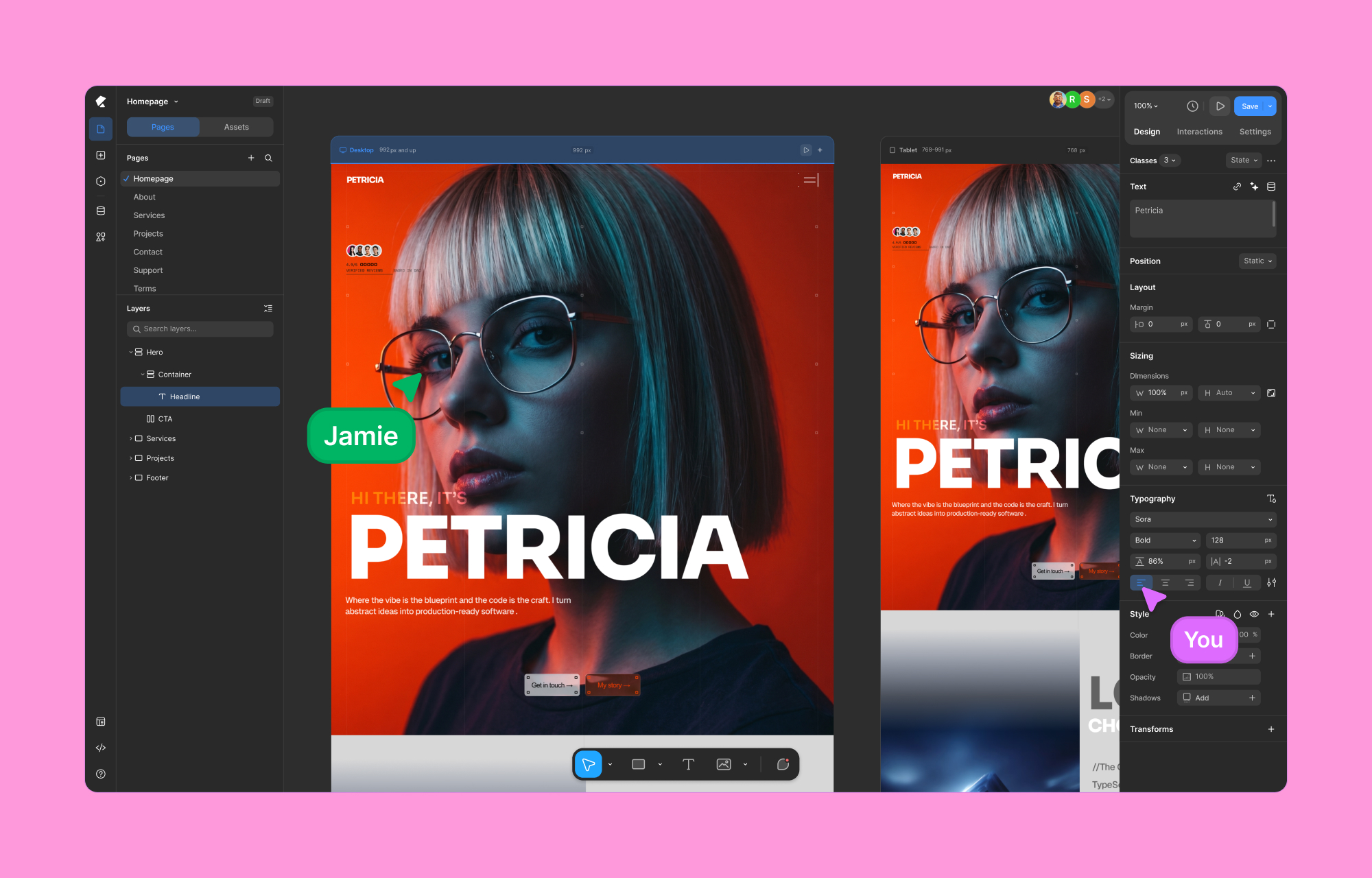
Design on an infinite canvas where you can pan freely, zoom in and out, place elements exactly where you want, overlap sections, layer backgrounds, and build complex interactions, all visually.
Every element’s layout behavior is editable on canvas, giving you pixel-level control without touching code.
The editor supports both light and dark modes for a more comfortable, focused workspace.
If you’ve used Figma or Webflow, you’ll feel instantly at home. If you haven’t, this is the most natural way to design websites you’ve ever tried.
Concurrent Editing Across All Responsive Views
With Kirki’s infinite canvas, all your responsive views, Desktop, Tablet, Landscape, and Mobile, are visible side by side simultaneously. You don’t switch modes. You work across all of them at once, in real time, on the same canvas.
This means you can spot a layout issue on mobile while designing the desktop version, fix it instantly, and move on without ever breaking your flow. No back and forth.
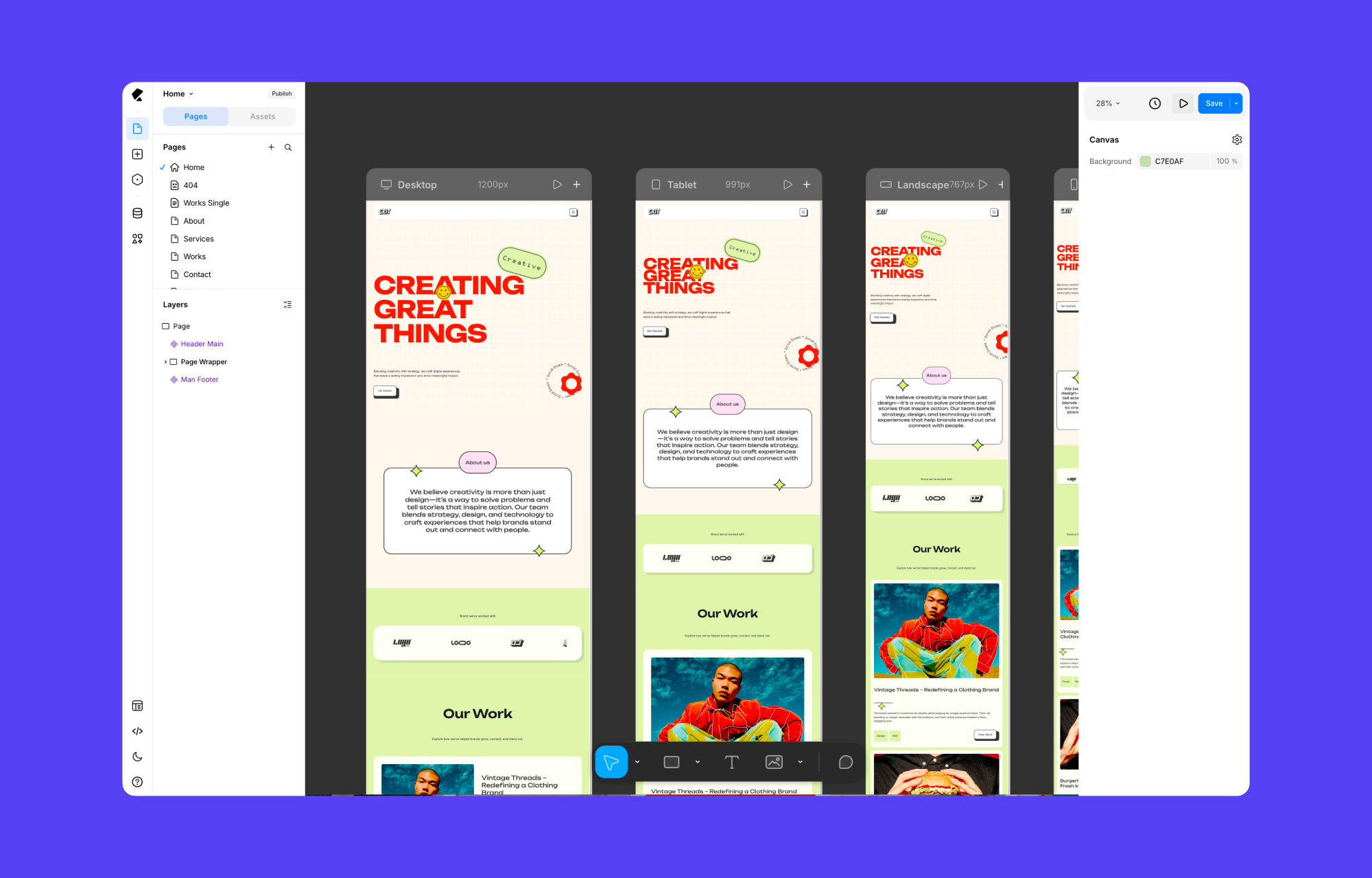
And because Kirki uses a cascading system, changes made at larger breakpoints automatically flow down to smaller ones, so you’re never starting from scratch at every screen size. You only step in where you need to, making adjustments where the design requires it and letting the rest handle itself.
Instant Figma to Kirki Handoff
Talking about Figma, if you have a design ready in Figma, you can instantly import it into Kirki to create a functional website with no need to rebuild from scratch.
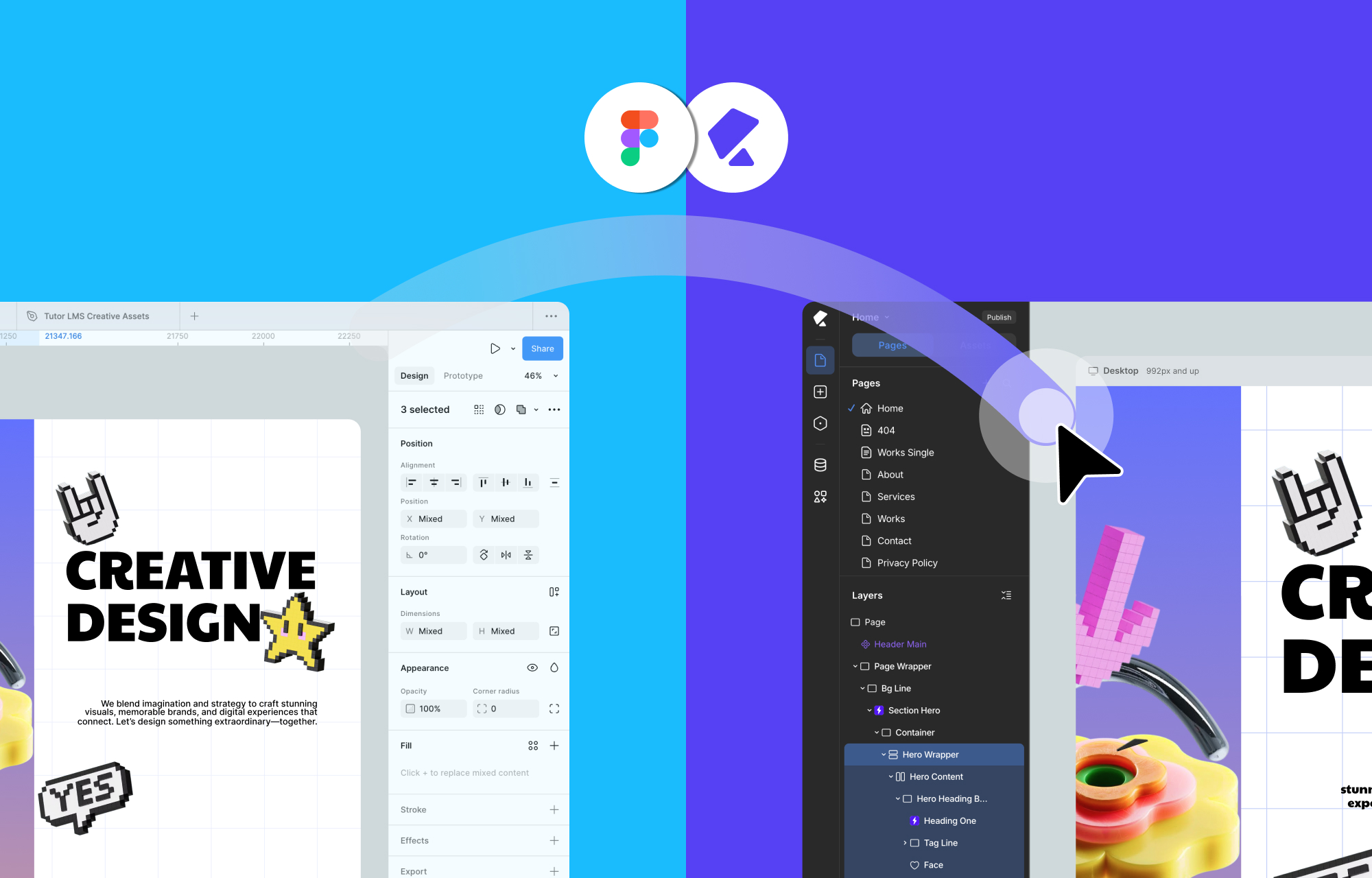
Your imported design comes in fully responsive by default, adapting to all screen sizes, including any custom breakpoints you define.
And it supports unlimited breakpoints, too. You can define layout behavior exactly how you want it, and styles will cascade intelligently across smaller screens.
No Third-Party Plugins Needed for Dynamic Content
In traditional WordPress, handling dynamic content means installing the ACF or other third-party plugins.
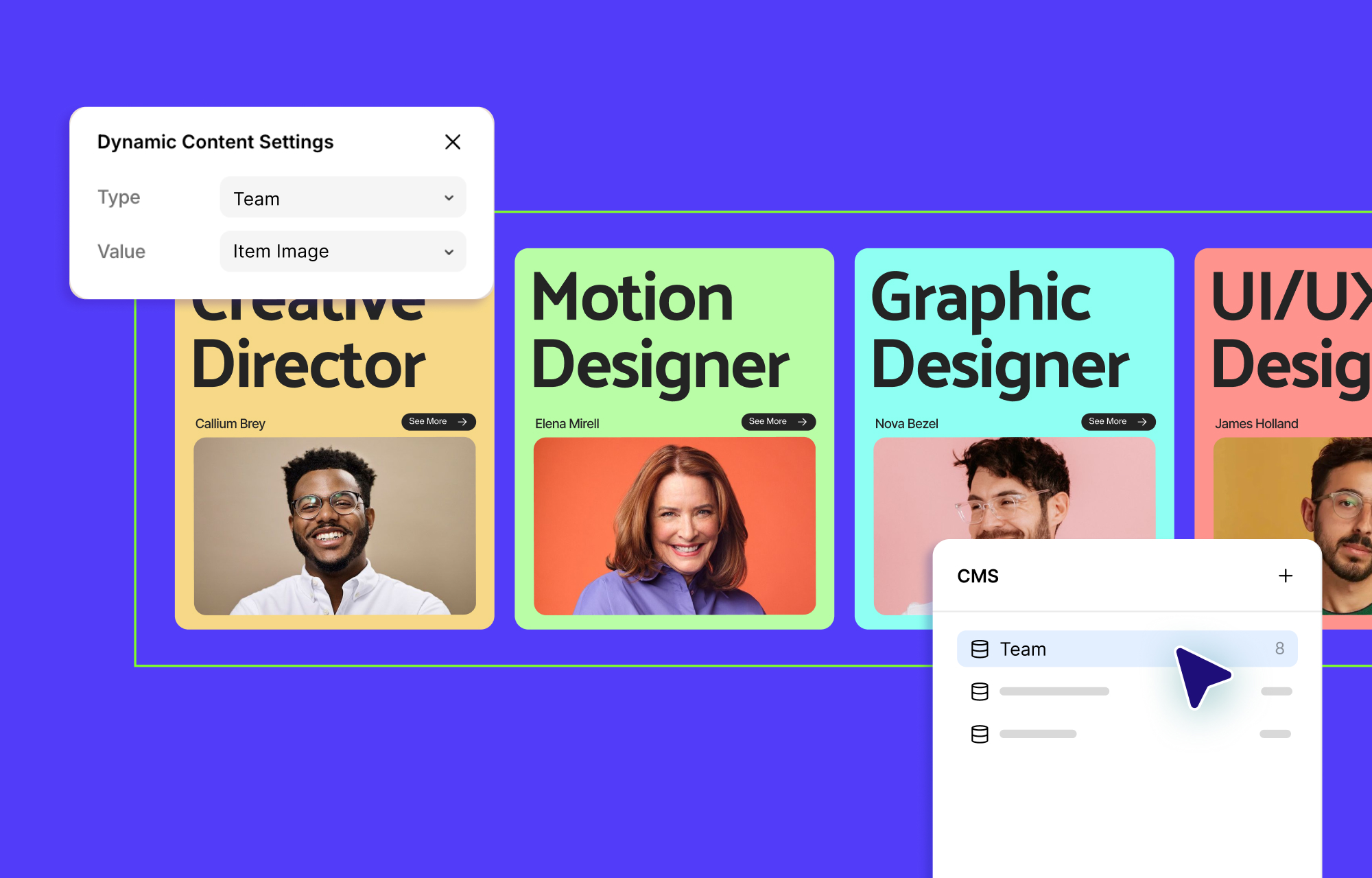
But with Kirki, all of that is natively integrated. It comes with a powerful Dynamic Content Manager that lets you:
- Create custom content types and fields.
- Use reference and multi-reference relationships.
- Build dynamic templates visually.
- Add dynamic SEO to template pages.
- Apply advanced filtering to Collection elements.
All without writing a single line of code or relying on external plugins.
Reusable Styling With Class-Based Editing
Kirki also has an efficient way to manage design at scale without repetitive work.
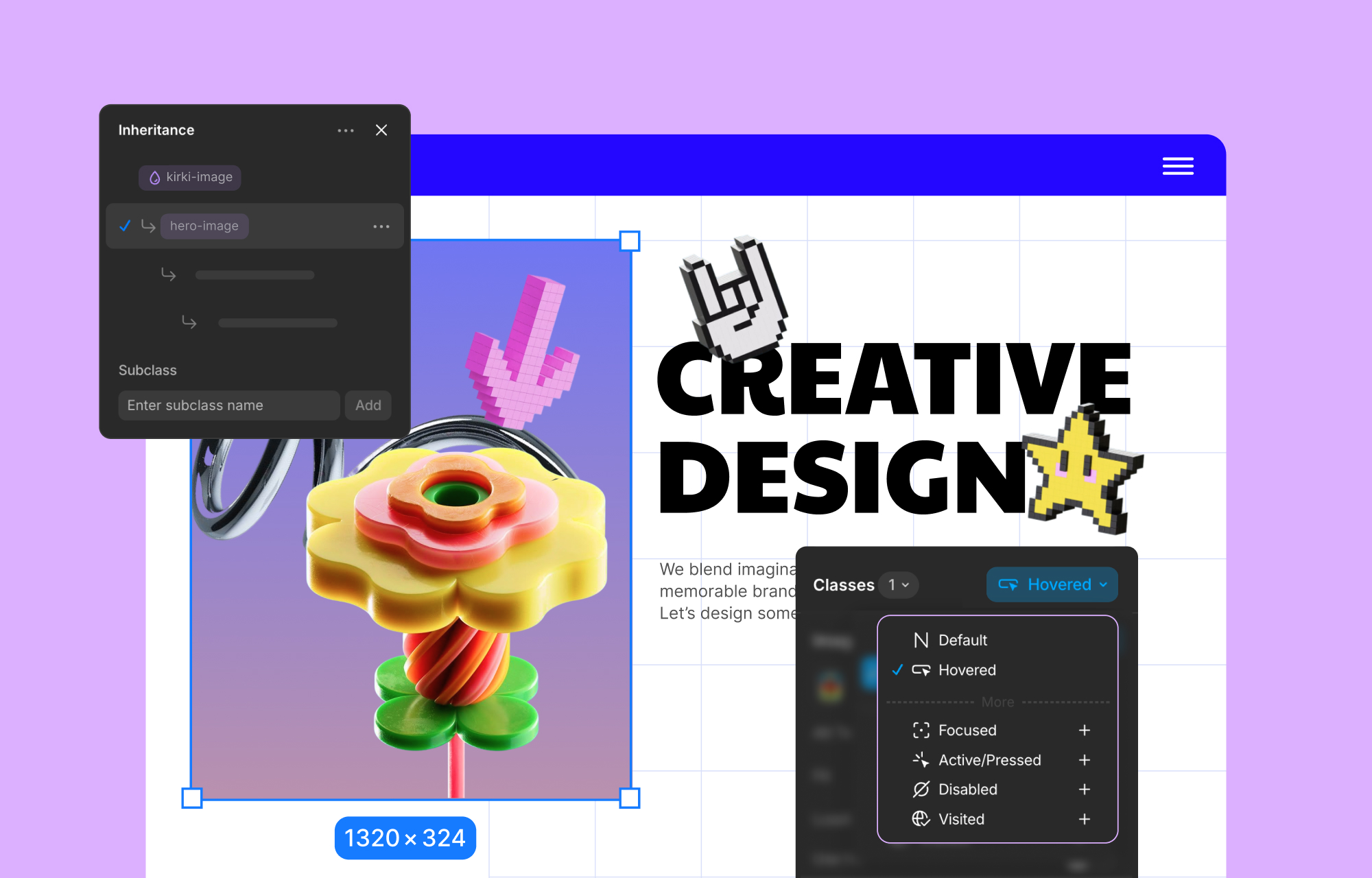
It uses a class-based styling system that brings structure and scalability to your design process. When you style an element, those styles are automatically saved as reusable CSS classes.
Here’s what that means for you:
- You can create global classes for common components like buttons, cards, or headings.
- Reuse those styles across pages and projects with consistency.
- Update a class once, and every instance updates instantly.
- You can also create subclasses to make slight variations, like secondary buttons, while still inheriting styles from the parent.
CSS Variables for Global Styling
Kirki takes styling even further with Global Variables, allowing you to define design tokens like colors, fonts, spacing, and sizing that can be reused across your entire site.
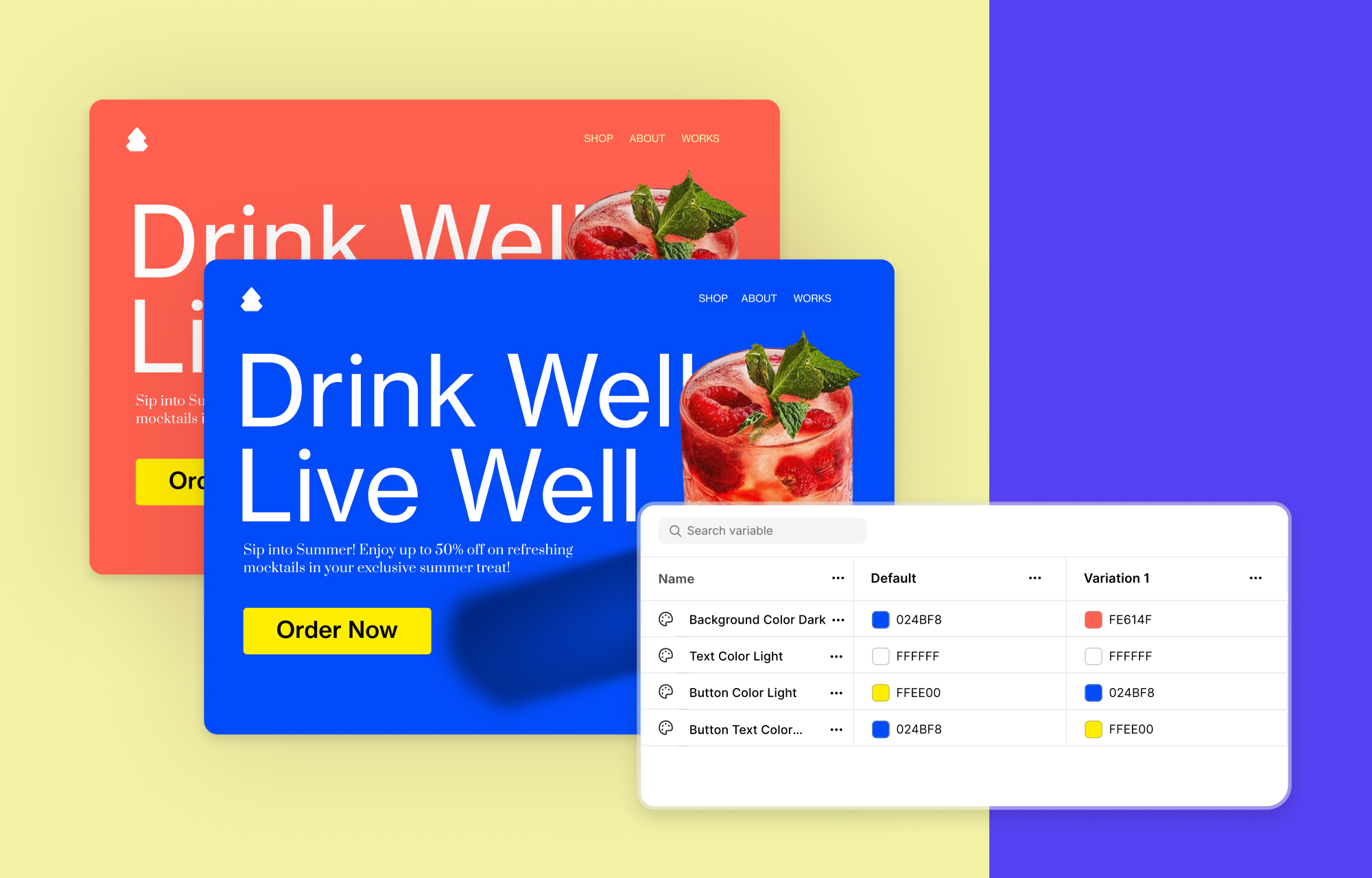
You can pair these global variables with your class-based structure to:
- Maintain visual consistency.
- Update values globally with a single change.
- Easily manage themes like switching between light and dark modes with one click.
And while Kirki offers a fully visual experience, it doesn’t limit advanced users. You can write custom CSS for any class or element, and even inject JavaScript at the page or element level when needed.
Build Complex Interactions and Animations Visually
When it comes to modern animations and interactive design, Kirki leaves traditional WordPress page builders far behind.
Its fully visual interaction builder lets you create dynamic, immersive experiences.
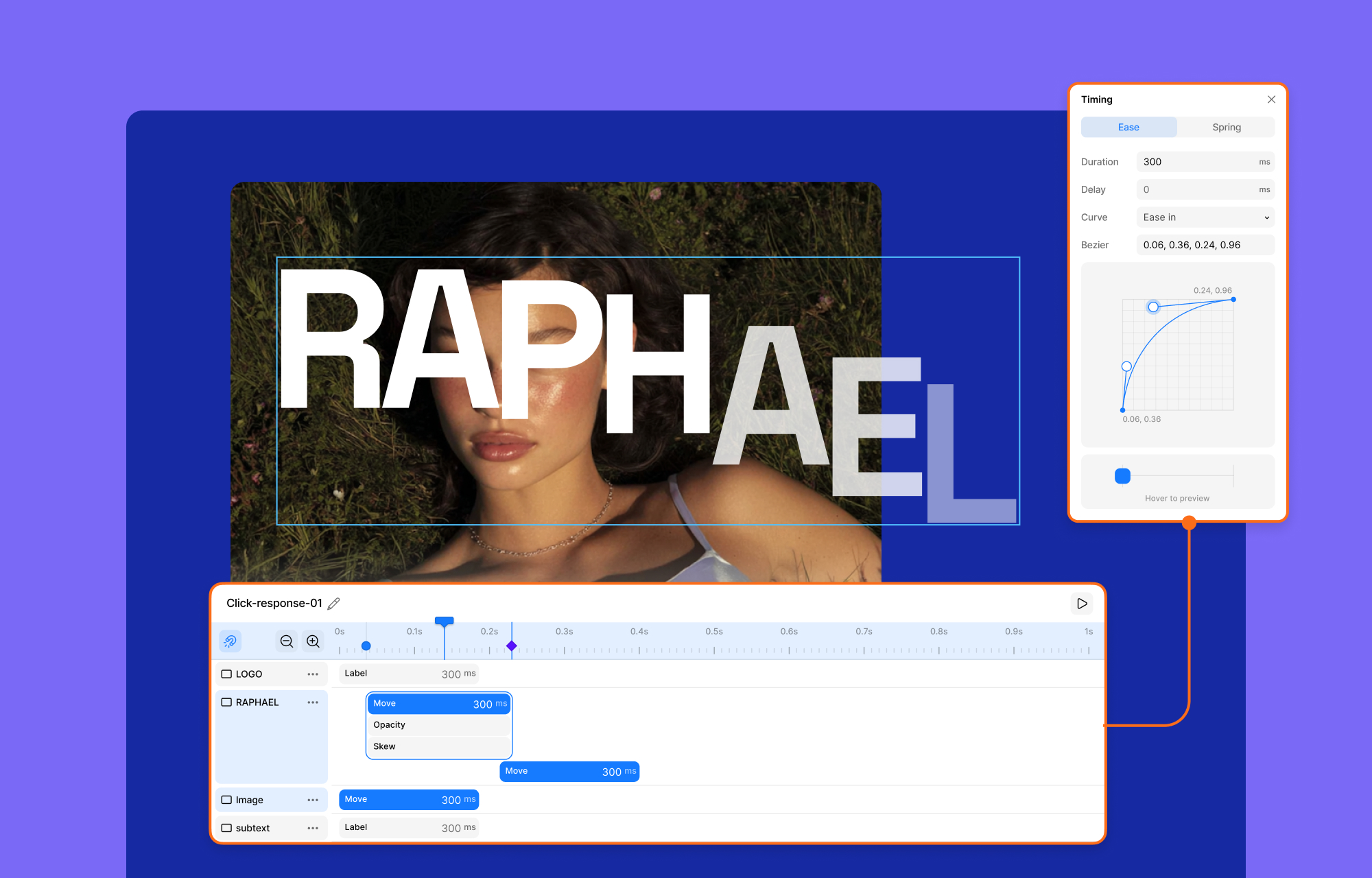
You can build scroll-based animations, hover and click effects, interactive sections that respond across devices, and control visibility, motion, and behavior all within a visual interface.
For advanced users, Kirki includes a timeline-based editor where you can:
- Create multi-step animations.
- Fine-tune transitions with precise timing, easing, delays, and sequencing.
Even text animations get special attention.
You can animate text by character, word, or full element. Choose custom triggers (scroll, hover, load, etc.) and select from various transition styles or create your own.
Kirki no-code website builder truly helps you move past generic and create unique animations and complex interactions.
Seamless Integration Management with Kirki Apps
Kirki takes the hassle out of connecting third-party tools with its intuitive Kirki Apps system. You can install and manage essential integrations such as analytics, CRMs, email marketing platforms, support widgets, and more, all from within the Kirki editor itself.
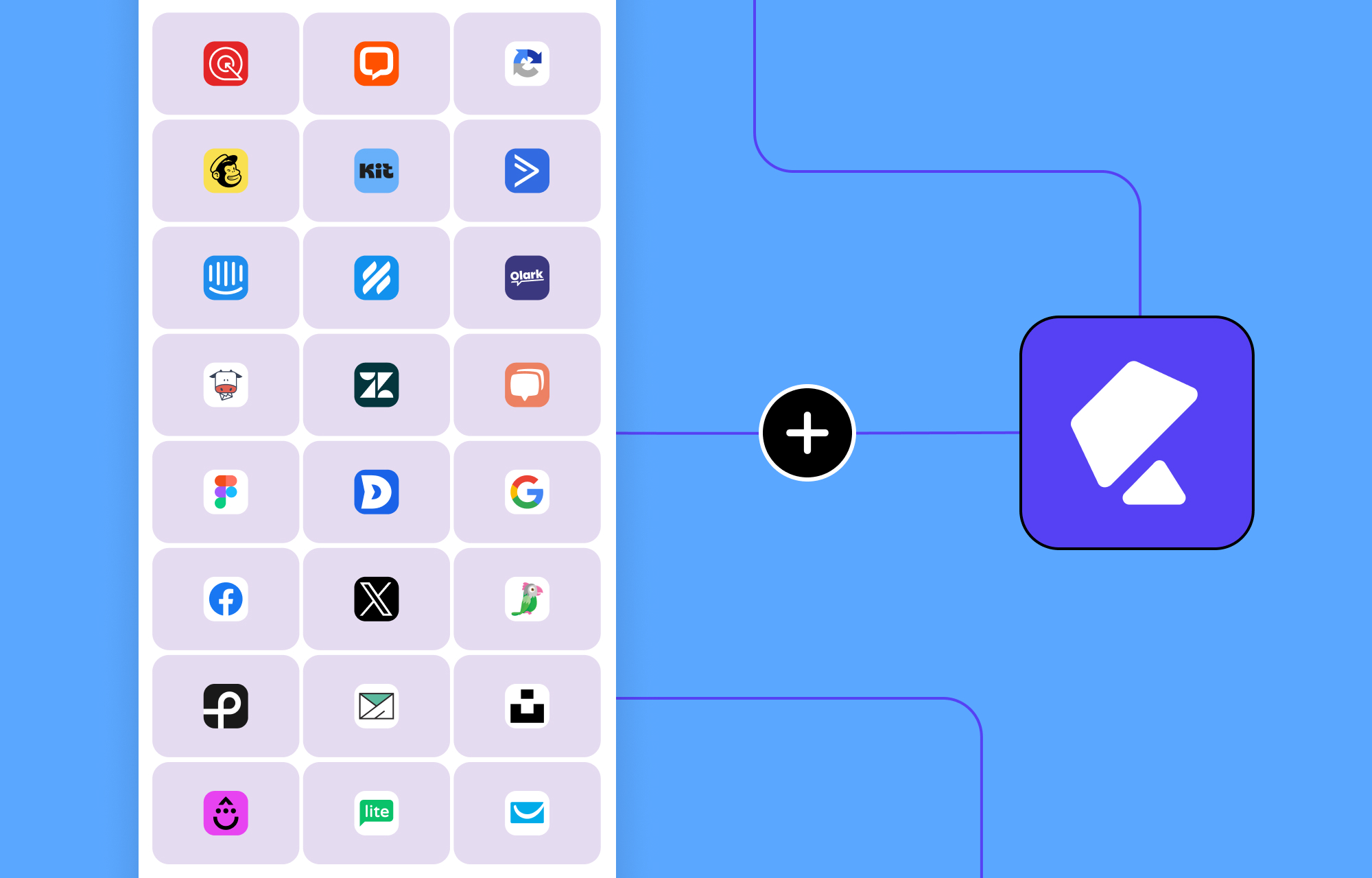
This centralized approach means you never have to leave your workspace. The clean, user-friendly interface guides you through the connection process visually, making setup fast and straightforward even if you’re not a technical expert.
First True Multi-user Co-editing & Commenting Experience in WordPress
Kirki brings the first real multi-user co-editing experience to WordPress. Multiple team members can work on the same page, at the same time, seeing each other’s changes unfold live on the canvas.
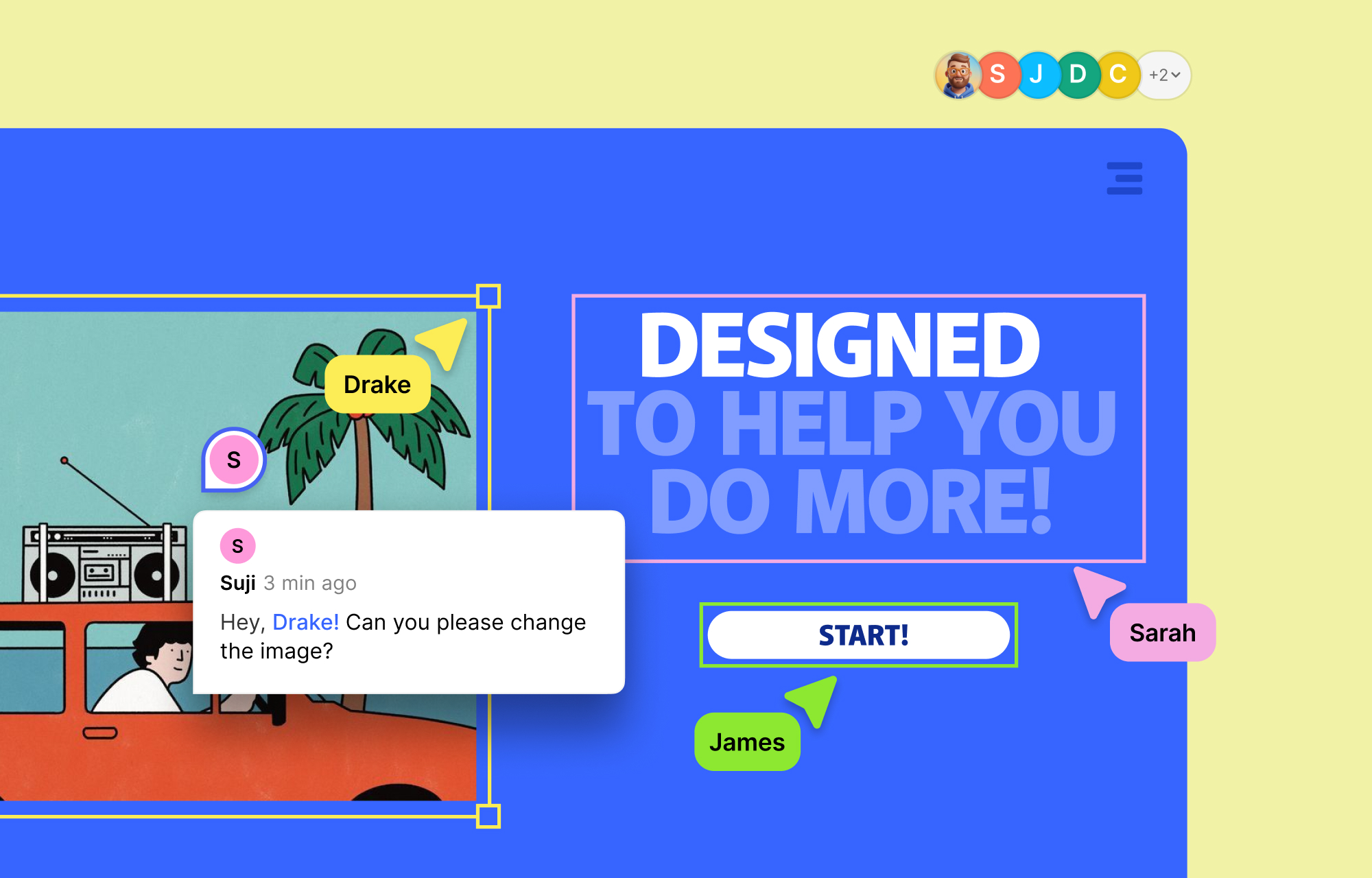
You see your teammates’ cursors moving in real time. You watch edits happen as they happen. Every change is color-coded and attributed, so the entire team stays oriented without ever having to ask.
Your team can also leave comments directly on the canvas, pinned exactly where the change needs to happen. For agencies, freelancers working with clients, and in-house teams juggling multiple contributors, this makes a huge of a difference.
Built-in Quality Control
Before you publish your site, Kirki helps ensure your site is technically sound with its built-in Page Audit tool.
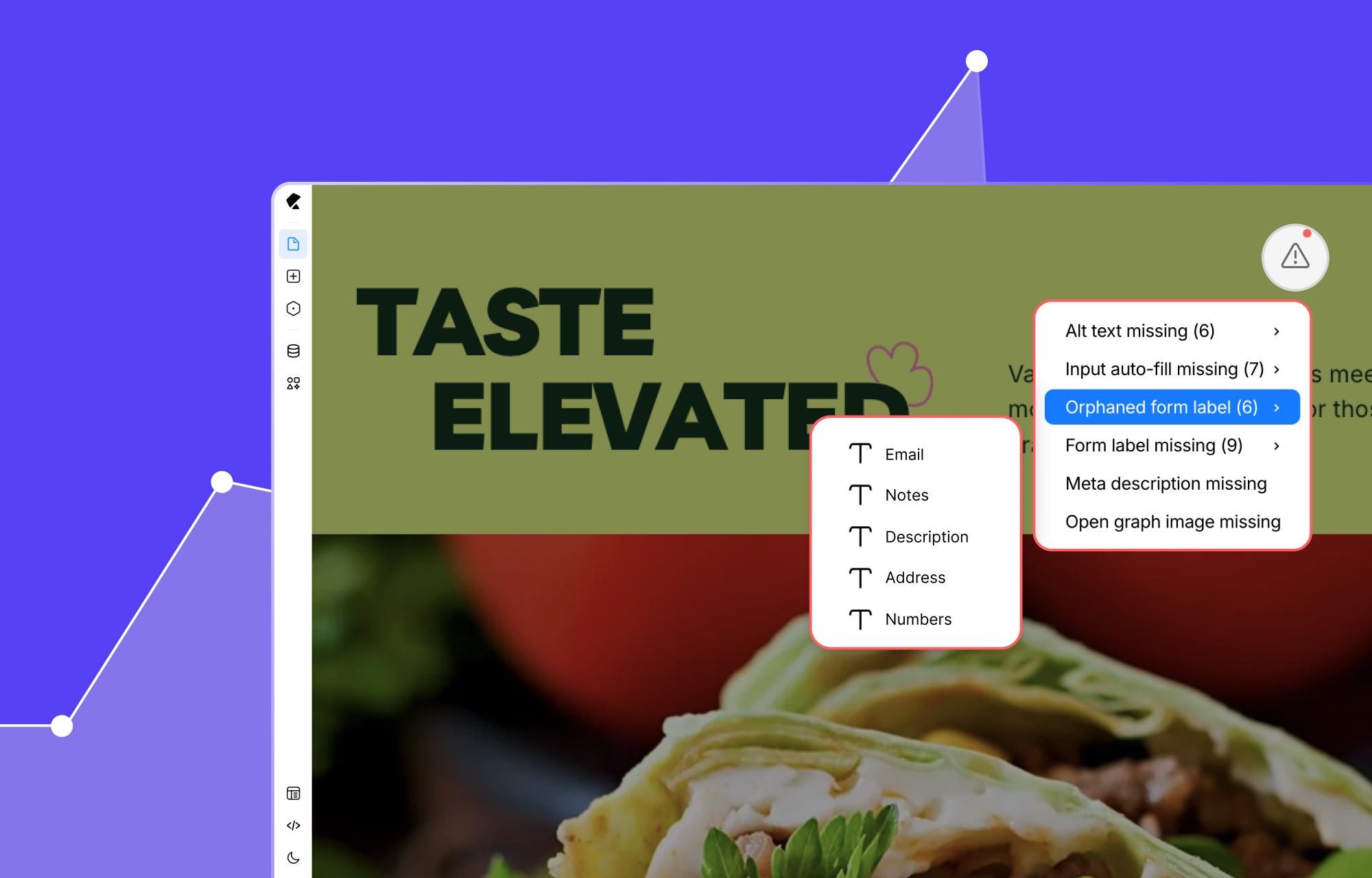
It automatically scans your layout for:
- Missing alt text on images,
- Broken links,
- Unassigned or duplicate classes,
- Accessibility issues,
- And more.
So you’re not just building beautiful pages — you’re shipping fast, accessible, SEO-ready websites with confidence.
Theme & Layout Options
Kirki has a growing library of high-quality templates and modular layout options, so you’re never out of options.
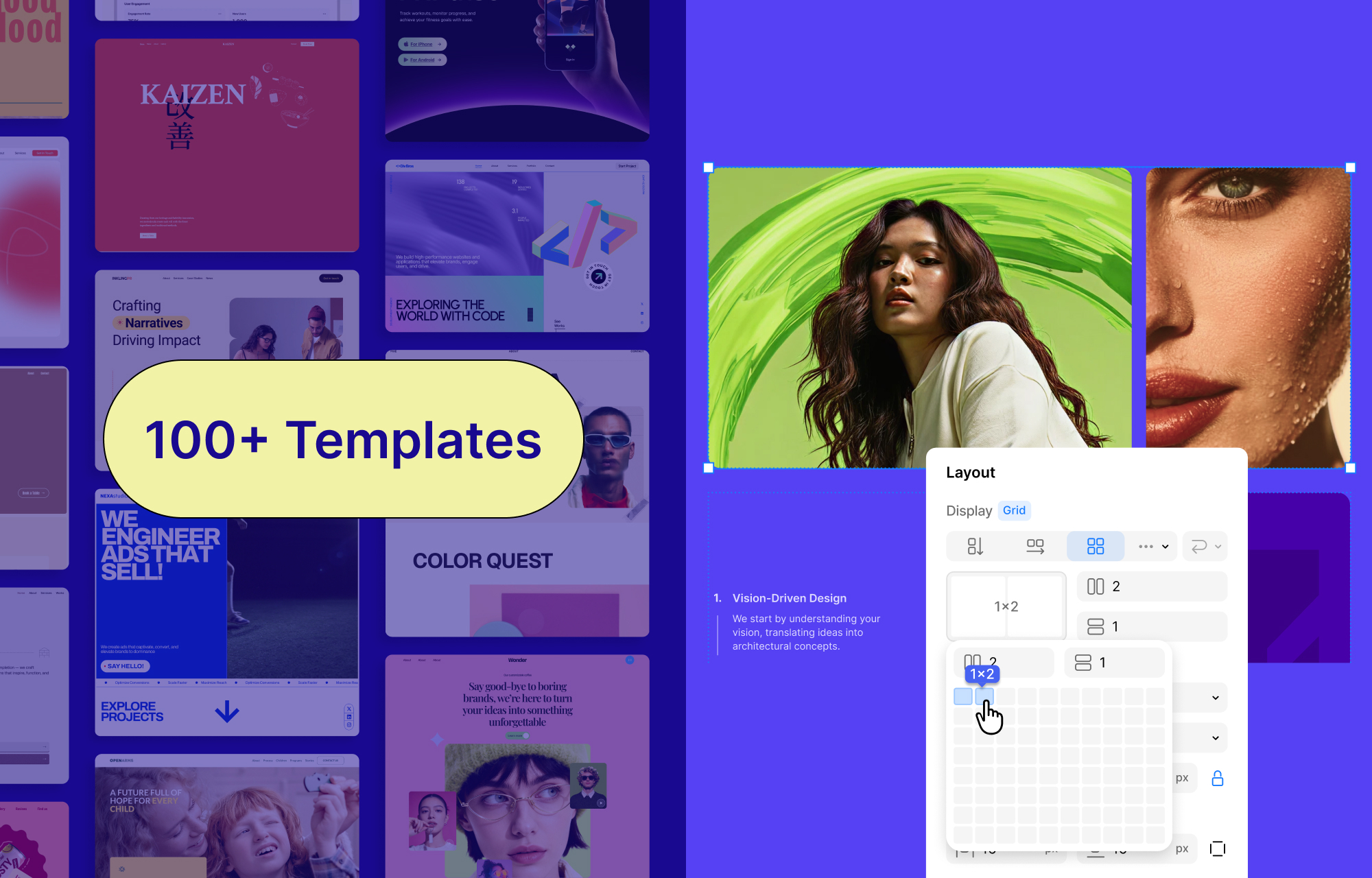
Template Kits: Full Website Packs
Kirki’s Template Kits include complete multi-page website designs for every industry. Pick a template, update the content, and you’re ready to launch.
New template kits are added regularly, so you’re always equipped with the latest design trends. And the best part? At no additional cost. You get access to the finest designs without ever paying extra.
Pre-Designed Pages
Need just a landing page or a pricing page? Kirki also offers standalone pre-designed pages you can drop into your project and customize instantly.
Pre-Made Sections
Prefer to build from scratch but don’t want to start with a blank canvas? It also has ready-made sections like hero banners, testimonials, pricing blocks, and FAQs. You can visually assemble your layout in minutes using these.
How Easy Is Kirki To Use?
Kirki has come a long way in terms of accessibility.
The interface has been refined, the workflow is more intuitive, and a growing library of pre-made blocks, sections, pages, and full templates means you’re rarely starting from a blank canvas unless you want to.
That said, if you want something dead simple just to build a basic five-page site fast, there are lighter options out there like Elementor. But they come at the cost of power, performance, design control, and long-term flexibility.
Kirki is built for people who care about what they’re building. If you want pixel-level control, clean code output, truly responsive layouts, dynamic content, advanced interactions, and a site that scales without breaking, Kirki delivers all of that, and it’s more accessible than ever to get there.
To help you get up to speed quickly, Kirki includes:
- A refined, intuitive interface that’s easier to navigate than ever;
- An extensive and growing library of templates, pages, pre-built sections, UI components, and wireframes to kickstart any project instantly;
- Guided onboarding to walk you through the essentials;
- An AI generator that can scaffold entire pages and layouts in seconds.
The bottom line is that Kirki rewards the time you put into learning it. And with everything that’s been added recently, that time is shorter than ever.
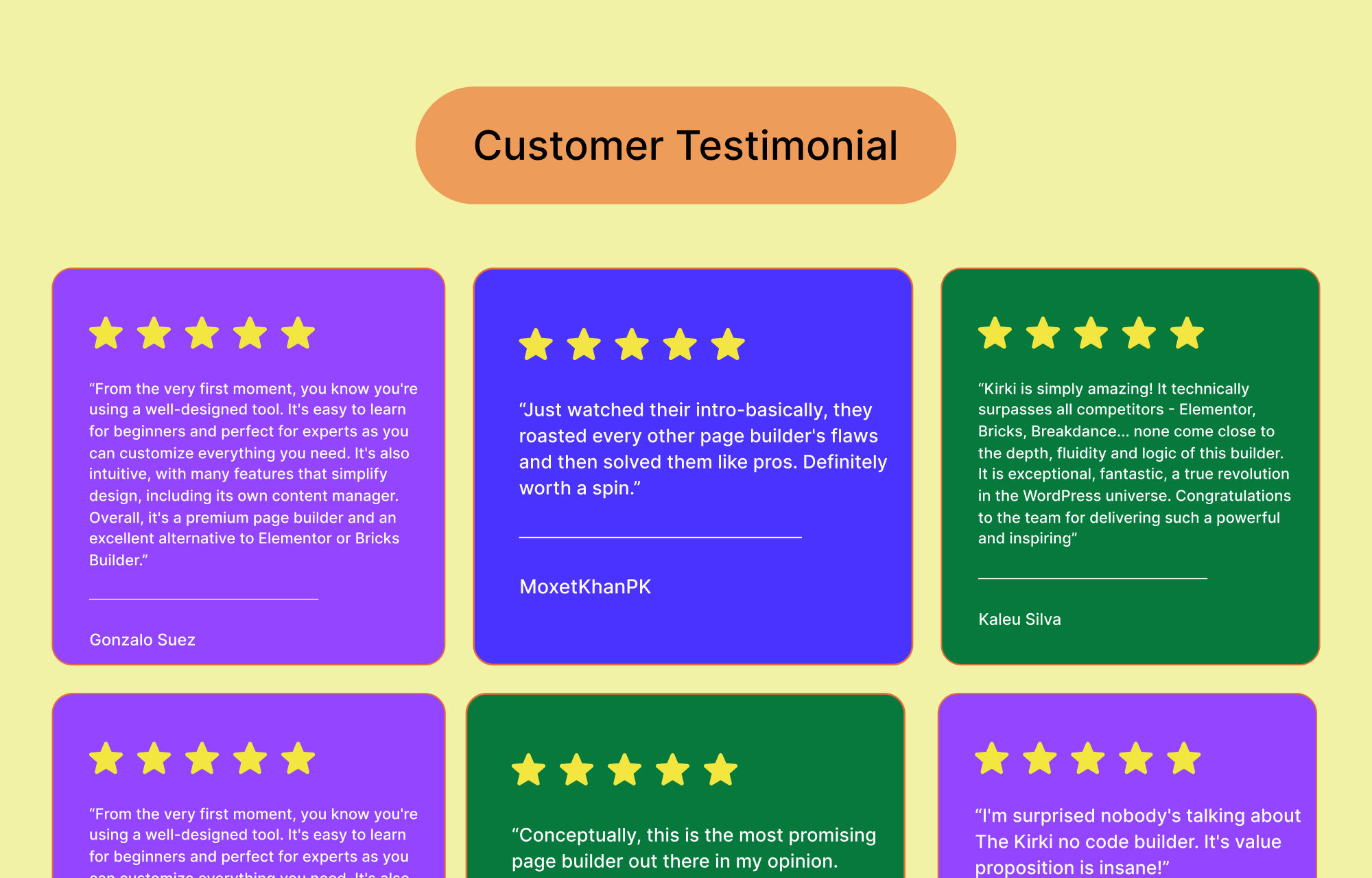
What Users Are Saying
For many users, Kirki is more than just a builder. It’s the all-in-one tool WordPress has been waiting for. They are calling it the future of WordPress, a truly great alternative to tools like Framer and Webflow.
Why Kirki Outshines Traditional Website Builders
Building a professional WordPress website shouldn’t mean compromising on speed, flexibility, or performance. Kirki is designed to give designers, developers, and businesses a modern visual building experience that goes beyond the limitations of traditional page builders.
Modern Freeform Visual Builder
Design without being restricted by rigid rows or predefined layouts. Kirki’s intuitive freeform canvas lets you place, arrange, and customize elements exactly where you want them, giving you complete creative freedom.
Real-Time Responsive Editing
Perfect your website for every screen size with side-by-side responsive editing. Instantly preview and fine-tune your desktop, tablet, and mobile layouts simultaneously, eliminating the guesswork from responsive design.
Everything You Need in One Builder
Forget installing multiple add-ons and third-party extensions. Kirki includes the essential tools, widgets, and features you need in a single, integrated platform, reducing complexity while improving reliability.
Performance-Optimized Code Output
Great websites don’t just look good—they load fast. Kirki generates clean, lightweight, and optimized code that helps improve page speed, user experience, and search engine performance.
Seamless Figma to WordPress Workflow
Transform your Figma designs into fully functional WordPress pages with minimal effort. Reduce development time and maintain design accuracy from concept to launch.
Advanced Design Capabilities Built In
Create dynamic websites with data-driven content, engaging animations, sophisticated interactions, and global styling controls that keep your branding consistent across every page.
A Powerful Free Version To Get Your Site Ready
Start building immediately with a feature-rich free version that includes everything you need to create a polished, professional website before deciding to upgrade.
Overall Verdict: Is Kirki Really Better Than Alternatives?
After putting Kirki through its paces, the answer is a clear yes. Kirki not only matches traditional WordPress page builders where it counts, but it surpasses them in nearly every critical area.
From its cleaner, faster code output and outstanding performance to its unparalleled design freedom and powerful built-in features, Kirki solves many of the pain points that users have accepted for years.
Its all-in-one approach eliminates the need for multiple plugins, saving time, money, and technical headaches. If you’re serious about building high-quality, scalable, and visually stunning websites, Kirki isn’t just an alternative; it’s the future of WordPress site building.
Ready to experience the difference yourself? Try Kirki today and start building faster, cleaner, and smarter.